
Be notified via email, SMS, Skype, Viber, Hangout when your website is down
➤ Monitor http availability, ping, port access, trace route, DNSBL, db query results and snmp agent from many world regions.
You can also perform Instant check of Web, Page Speed, etc.


Is your website down right now? Use this free online tool to check if a site is down for everyone or only on your computer. Find out how to fix potential issues.
It will also measure the Response time.
Brian Coords is a WordPress developer, educator and host of the Webmasters podcast.
Among other things, he has published a series on “7 Tools for Modern WordPress Development”.
Jamie Marsland reveals -
How to create a beautiful CSS effect that makes text appear transparent, revealing a background image behind it.
A big hat tip to Justin Tadlock for helping me figure out a nice easy way to accomplish this beautiful cut out text effect in Gutenberg.
The CSS effect used is the mix-blend-mode property, that specifies how an element's content should blend with its direct parent background.
w3scools demo
mdn web docs examples
CSS-Tricks examples - here I find the use of screen value on the Washington D.C. most interesting.
Most great-looking websites utilize some sort of grid pattern in their page layout. But while many designers accomplish this using CSS Grid, new WordPress blocks let you do it right in the editor.
In today’s “Build and Beyond” video, Jamie Marsland shows you how to use Grid and Grid Layout blocks to create a beautiful, functional WordPress site.
At the moment you'll need Gutenberg plugin, for the Grid-block. See also how Jamie makes it really responsible. Needs some settings.
I recently attended and spoke at my first WordCamp.
This article details why - and how - I built my presentation entirely out of WordPress blocks.
Read on to learn more...

In this tutorial, you will see how easy it is to create link previews using the Linkz.ai software currently on Appsumo.

Jamie Marsland gives here a hint about adding background image to columns, with this CSS code.
But actually he then shows an even smarter way in his YouTube instruction where he first tells about this trick but when he comes to Putting it all together do it in a smarter way.
As he demonstrates it's possible to achieve the same with the Cover-block. Of course if you need to repeat the same background several times, the CSS-class solution can be more handy.
In his Create Pro WordPress Page Layouts in Just 10 Minutes, Jamie Marsland gives a hint how you can reverse order of columns on mobile.
The link here is the code - explanation to his youtube video.
-ckn- : Jamies solution works by reversing the order. What if you want to have the middle column to be the first ?
I asked ChatGPT - and found a solution, that I will write about, when I find time.

How to build a WordPress Gutenberg Full Site Editing Starter Theme in just 10 minutes with no coding
How to Build your own WordPress Gutenberg Full Site Editor (FSE) Starter Theme in 10 minutes with no coding.
The Theme we build won't have any in-built styles but it will have all the full site editing parts.
Jamie Marsland it tutoring on using Gutenberg and FSE with focus on webshops (Woocommerce) - but gives som good hints and tricks.
On Pootlepress he writes:
Welcome to my Gutenberg Block Editor learning library. Here you'll find my growing collection of free Gutenberg tutorials.
WordPress automatically adds some CSS classes to different elements in most themes. These default CSS classes can be used to style those elements in your WordPress theme.
In this article, we’ll show you the default WordPress generated CSS cheat sheet. We’ll also talk about how to easily find CSS classes and how to add custom CSS classes whenever you need them.
A collection of high-quality and popular WordPress plugins that will ease the process of building a website.

Like we do with typography, accessibility, and JavaScript, I’m hoping to occasionally drop packs of links things I find particularly interesting in that ecosystem.
This time:
- Advanced Custom Fields: A Guide to Custom Fields and ACF Blocks
- Make Unique Designs by Combining Blocks
- WP Engine Makes Local Pro Free for All Users
- Simpler Block Spacing in WordPress with :is() and :where()
- Faust.js, the Framework For Headless WordPress
- Proposal for a Performance team
- Theme.json for WordPress Block Themes explained
- Query Loop: The Ins and Outs of One of WordPress 5.8’s Most Powerful Features
- Encute
Hi I am trying to add published events to the websites main blog loop in order of date published. I have uploaded the extension which offers the two options to order by event date or date published. As soon as I check the add event to main blog loop option m post order of the […]

I denne video får man en lang gennemgang af Ubivox. På ca. 20 minutter, kommer man rundt om det meste af systemet,og kan klart anbefales at se, hvis man vil lære systemet at kende, hurtigt og effektivt.
Der kan komme et tidspunkt, hvor du vil konvertere et WordPress-indlæg til en side, en side til et indlæg, en side til et brugerdefineret indlæg post eller en anden mulighed.
Her er en hjælp til hvordan man i databasen kan ændre et indlæg til en side - og vice versa.
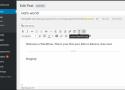
The read more tag in WordPress allows you to show a small portion of your content to visitors on your index page. We will show you how to properly use it.