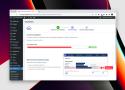
Cloudinary (the media hosting and optimization service) has a brand new version (v3) of its WordPress plugin that has really nailed it.


In this overview video, find out about 10 extremely useful web sites that you should be using. For example, learn how to remove photo backgrounds using remove.bg, generate strong passwords using passwordsgenerator.net, access thousands of high-quality and royalty-free images via pexels.com.
Gratis fotos og -videoer, der kan bruges overalt.
Alle fotos og videoer på Pexels kan downloades og bruges gratis.

WordPress News — Free as in Beer.
Google Map Generator – Get your own Google Map with two clicks ✓ Type in your Title & Address, copy the HTML-Code ✓ Paste the Code to your Website. Finished!
For more info check this site: embedgooglemap.net
Hint: Når der indsættes kan koden renses for alt udenfor iframe tags.
Search and download from millions of HD stock photos, royalty free images, cliparts, vectors and illustrations

Over 26 millioner stock fotos, videoer & vektorer online ✓ Inkl. alle billedrettigheder & copyright ✓ Brug dine billeder til print og på nettet inkl. de sociale medier
Shortcodes are small pieces of code that pack a punch. They allow you to add functionality to your website with a shorthand that your WordPress site can read and interpret without having to write a single line of code.
And Events Calendar Pro comes standard with shortcodes. You can use the [tribe_events] shortcode to embed a calendar on any WordPress page or post on your website. From there, you can customize each shortcode to only include certain events, venues, organizers, and beyond.
Take it to the next level by adding event categories to each of your shortcodes. This will allow you to create numerous calendars on a single WordPress install by simply adding a few words to each page.
Det kan være svært at vide hvilke foto, det er tilladt at offentliggøre.
Her har Datatilsynet givet lidt vejledning.
The Biggest Gutenberg Patterns Library for WordPress. Huge collection of fully customizable & responsive Gutenberg patterns.
In this guide, we'll cover everything you need to know about WordPress block patterns, including how to use block patterns to their full potential, as well as how to build custom block patterns.
-ckn- : Ja, der er faktisk meget at lære om Blokgrupper og hvordan man kan lave sine egne. F.eks. i et child-theme.
This guide explains how to use the Additional CSS Classes feature of the WordPress editor.

In this tutorial, I will show you how to not screw anything up when it comes time to remake your website. Most people skip a step and it becomes a complete disaster.
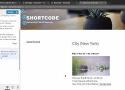
Quick tutorial on some ways to find and customize The Events Calendar Shortcode PRO for your theme using a bit of CSS.
Gode hints til at finde de selektorer, der skal tilpasses.

Introduction on how to use The Events Calendar (by Modern Tribe) with The Events Calendar Shortcode & Block plugin to show a calendar and list your events wherever you want
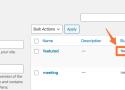
Med The Events Calendar Shortcode & Block 'add on' til TheEventCalendar plugin, gives der mulighed for at få vist begivenheder på en liste, der kan tilpasses, uanset hvor der er brug for det. På sider, indlæg eller widgetsområder.
I Blockeditoren kan der indsættes med en blok, der dog stadig synes at være under udvikling. Der er - stadig - langt større kontrol ved at benytte 'shortcodes'. Her er en fuld liste med parametre:
Full list of the Events Calendar Shortcode Pro shortcodes! Get full control of your Events Calendar display on your WordPress site.
Here's some tips to move content to another site.
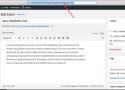
WordPress’ built-in oEmbed features allow you to embed single events by simply pasting an event’s permalink into post or page content; you can learn more about this functionality here. While that feature is useful, it doesn’t let you customize what event details to display, or in what order to display them. Furthermore, the oEmbed features […]
With WordPress 5.8, we're full speed ahead with Full Site Editing (FSE) using the WordPress block editor. In addition, WordPress 5.8 brings a host of improvements and features to the WordPress block editor itself, along with a few new things developers will appreciate.

The purpose is to provide a custom shortcode that will allow hidden events to be displayed using the [tribe_events] and [tribe_events_list] shortcodes while still suppressing hidden events from the main Upcoming Events page, RSS feeds, and other 3rd party shortcodes or widgets.