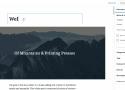
The WordPress Editor is a new publishing experience. You can use it to create media-rich pages and posts and to control their layout with ease. Instead of worrying about the alignment and organizat…


The Events Calendar, Event Tickets and their add-ons can do a great many things. Still, there might be something that we did not think of yet, but others did. So here’s a list of third-party plugins that can work together with The Events Calendar.
CodePen is a social development environment. At its heart, it allows you to write code in the browser, and see the results of it as you build. A useful and liberating online code editor for developers of any skill, and particularly empowering for people learning to code. We focus primarily on front-end languages like HTML, CSS, JavaScript, and preprocessing syntaxes that turn into those things.
Lot of examples...
Side med guider til brugen af 'The Events Calendar' plugin

The WordPress Core team is in the process of upgrading jQuery. So… why should you care? Many sites, themes, and plugins still rely on legacy versions of jQuery and will need to update alongside WordPress 5.7 to stay current. If you don’t, you might find yourself with a broken website. We’ve put together a guide…
Her finder du logoer for MobilePay og WeShare i forskellige filformater.
Organic Widget Area Block giver mulighed for at oprette flere brugerdefinerede widgetområder på en hvilken som helst side eller et indlæg ved hjælp af Gutenberg-blokeditoren.
Blokeditoren har allered visse 'standard' widgets tilgængelige - men ikke alle !
Her er dette plugin handy, da det benytter sidebar widgets editoren og give adgang til alle de widgets, der også fungerer i sidebar.
MEN :
Desværre er plugin ikke fuldt kompatibelt med Twenty-TwentyOne temaet. Jf. Don't work with Twenty-TwentyOne patterns

Getwid is a collection of 40+ Gutenberg blocks that greatly extends the library of existing core WordPress blocks and 35+ unique pre-made block templates for the Block Editor.
Kori Ashton introduce the Getwid plugin in her "40+ Free Blocks for Gutenberg in WordPress - GetWid" presentation.
Music with download links.
You’re free to use this audio in any of your videos, including videos that you monetize.
Jeg har flere links om SVG her.
We can use SVG in CSS via data URI, but without encoding it works only in Webkit based browsers. If encode SVG using encodeURIComponent() it will work everywhere.
This URL-encoder is used with the How to add icons in Gutenberg without any plugin solution.
Der kan således indsættes eget logo:
<svg height="110" width="170" viewBox="0 0 16 16" title="Kirkestien 7">
<rect x="-4" y="0" width="116" height="116" style="fill:none;"/>
<path id="kirkestien" d="M2 1 L1 4 L1 8 L6 8 q-4 4 -4 7 L4 15 q0 -4 3 -7 L7 6 L6 5 L3 5 L3 4 z" >
<animate attributeType="CSS" attributeName="opacity" from="0" to="1" dur="7s" />
</path>
</svg>
Logo for Kirkestien 7
Men læs: How to add icons in Gutenberg without a plugin for mere anvisning af brug af URL-encoderen.

You can use the Custom HTML block and paste the SVG path of the icon. Here’s an example with a Material Icon
- det var via dette Feature request, jeg fandt : How to add icons in Gutenberg
Icons obviously are one of the most needed elements for a web page. In WordPress Gutenberg editor there is currently no default block to easily insert an icon such as Font Awesome, Material Design Icons, Unicons, Dashicons and many other. So let’s see an easiest way to add an SVG icon in Gutenberg as an Image. First of all, if you have images of your icons in any image format, that is already easy to do. Simply insert those using the image block. But if you are looking to insert some custom SVG icons or font-awesome or any other icons…
PluginTut has covered a few of these tips in various videos across the channel, but figured this would act as a nice starting point if you're new to the Gutenberg experience.

Twentig gør det nemt at oprette dit eget professionelle WordPress-websted. Tilpas nemt dit tema og opret smukke sider.
Indeholder 'Pagebuilder' faciliteter, og tilføjer en del ekstra 'Block Patterns' eller Blokgrupper på dansk.
Tilføjer muligheder for at ændre i standard WordPress-temaet 'Twenty Twenty One'.

Webinar about how to embed your Zoom Meeting directly into your website. This awesome new feature for Zoom is available for anyone with a Pro Zoom account. By putting your Zoom Meeting directly into your website you can make your meetings easier to join for the public. The StreamGeeks will explore the potential possibilities of this exciting new Zoom feature in our live broadcast available on YouTube, Facebook and now Zoom.

Guide to host a Zoom meeting through a WP website, using the "Video Conferencing with Zoom" plugin.
Her er en demonstrationsside af Twenty Twenty One temaet. - også med nogle hints til brugen af funktionaliteter.
Documentation for 2021 Theme
Twenty Twenty-One is a blank canvas for your ideas and it makes the block editor your best brush.
With new block patterns, which allow you to create a beautiful layout in a matter of seconds, this theme’s soft colors and eye-catching — yet timeless — design will let your work shine.