
WordPress Studio is a free, open-source app for local WordPress development, powered by WebAssembly and built for modern workflows.
In this video Nick Diego walks you through creating local sites, configuring your environment, and using the tools that come bundled with the app. We’ll cover setting up a new site, adjusting your configuration, and getting comfortable with the Studio interface.
He also briefly shows how to connect Cursor as the AI-driven IDE.
For more about Cursor and how to configure Cursor for WordPress development see My Shaarli about this.

Database Workbench is a Windows application from Upscene for database design, development, maintenance and testing for several database systems, including MySQL and MariaDB.
The commercial site for MariaDB promotes on the documentation pages the Database Workbench
DBDesigner 4 is a visual database design system from FabFORCE.net that integrates database design, modeling, creation and maintenance into a single, seamless environment.
DBDesigner 4 is developed and optimized for the open source MySQL-Database to support MySQL users with a powerful and free available design tool.
⚠️ Whether it works with MariaDB has yet to be investigated!!
According to FabFORCE.net, DBDesigner 4 has now been replaced by MySQL Workbench; though it's still possible to download.

Jamie Marsland made this Website using AI.
Tomorrow times
Make quick predictions on news and sports. Earn points. Climb the leaderboard. Tomorrow Times - your daily prediction challenge.
How it was built
On his blog Jamie has written an article on how it was built and with his reflections on AI and the impacts on WordPress.
⚠️ The Tomorrow times is NOT built with WordPress! But it shows what is possible with AI and gives implications for WP.

Be notified via email, SMS, Skype, Viber, Hangout when your website is down
➤ Monitor http availability, ping, port access, trace route, DNSBL, db query results and snmp agent from many world regions.
You can also perform Instant check of Web, Page Speed, etc.

Is your website down right now? Use this free online tool to check if a site is down for everyone or only on your computer. Find out how to fix potential issues.
It will also measure the Response time.

Copy and paste emoji of the flag of Denmark and see what emoji looks like on Apple, Google, Twitter and Facebook platforms.
You can also find html-code to copy and paste ...
Samme side findes også på Dansk: Verdensflag.dk

Discover what's new in WordPress 6.9 in this detailed walkthrough. I cover the most exciting features and updates, including the global Command Palette, enha...
Her er et trick fra Computergaga
I Excel Tips 154 viser Alan Murray en metode til at indsætte logoer i et regneark.
Han gør dette meget kreativt ved at benytte en service fra Clearbit.com, der henter logo fra diverse hjemmesider og indsætter det i en formel:
=IMAGE(CONCAT("https://logo.clearbit.com/",C3,".com"))
Service kan også benyttes uden Excel.
Hvad formlen gør, er at hente billedet fra den sammensatte url (firmanavn,efterfulgt af tld).
Service ligger på 'https://logo.clearbit.com' og for at få logo efterfulgt af organisationens url.
Det kan f.eks. være:
Metodistkirken:
https://logo.clearbit.com/umc.org
Wordpress:
https://logo.clearbit.com/wordpress.org
DSB:
https://logo.clearbit.com/dsb.dk
Zionskirken:
https://logo.clearbit.com/zionskirken.dk
Vær dog opmærksom på, at det nok er organisationens favicon, der hentes fra webstedet.

A responsive carousel slider for the Gutenberg block editor that lets you add any blocks to your slides.
Kan benyttes til Info-skærm!
Opret særskilt side, hvor slide tilpasses skærm. Kør i kiosk-mode.
Se demo her:
Landsmøde 2024
Jamie Marsland has released an AI generated plugin that he demonstrated in the video mentioned in Build a WordPress Plugin Without Coding (Using Cursor AI).
Scrubber is a lightweight WordPress plugin that transforms your Cover block videos into smooth, scroll-synchronized experiences. Instead of traditional video playback, your videos now scrub frame-by-frame as users scroll through your content.
Scrubber is now available as a WordPress plugin. Simply install, activate, and start creating scroll-synchronized video experiences that will captivate your users!
The documentation and download is on the Pootlepress site

🚀 I just had my mind blown. AI helped me build an incredible WordPress plugin — with zero coding required!
Jamie Marsland demonstrates how to use WP Studio with Cursor AI.
He also explains how to load explicit WordPress rules for cursor.
Finally Jamie point to a developer tool to check whether the plugin meets the required standards for the WordPress.org plugin directory.

In this quick video, you’ll learn how to set up Claude Code with WordPress Studio and use it to kickstart WordPress plugin development with AI. You’ll also g...
Brian Coords is a WordPress developer, educator and host of the Webmasters podcast.
Among other things, he has published a series on “7 Tools for Modern WordPress Development”.

A WordPress.com offer...
In this step-by-step tutorial, we’ll show you how to build a complete website with the AI Website Builder on WordPress.com.
You’ll see how AI can generate layouts, colors, fonts, and sections in minutes, while also learning how to fine-tune your site manually – whether that means swapping images, adjusting text, or reorganizing blocks. From a travel blog to a small business site, a non-profit project, a restaurant site, or even a photography portfolio, this walkthrough covers both the automation and the hands-on control you need to create a site that feels truly yours.
There's also AI possibilities in Studio by WordPress.com
A fast, free, open source tool for local WordPress development all powered by WordPress Playground and WordPress.com.
See the Quick Start Guide that also has a video guide.

Chris from Selfmadewebdesigner suggest these 5 skills to manage:
These are the building blocks of the skills required for a web designer to go from beginner to pro. Here's what actually matters.
Doing so, he also reveals some good tools. Like:
- Fontshare -- a free fonts service
- Uncut -- another free fonts service
- Type Scale -- Tool to create consistent typography systems
- Contrast Checker
He also demonstrates advanced use of Chrome DevTools to find any site’s color palette
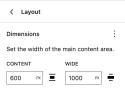
The Stylespanel in WordPress 5.9 or higher allows you to set the overall aesthetics and layout of your site at a global level.
Styles is a new feature that allows you to set the overall aesthetics and layout of your site at a global level, instead of editing individual blocks or pages.
You can set the colors, typography, layout, spacing, and more, for the entire site and give your website a cohesive look that shows off your brand.
You can also edit the default appearance of blocks to streamline the look and feel of your website — add your unique colors to create a branded Button block, or adjust the Heading block to your preferred font size.
Here's WordPress Documentation

Looking for the best WordPress newsletter plugin to send emails? Here, we share over 8 years of experience and lessons learned, in one handy guide.
If you’re a registered non-profit, we’re happy to offer you 20% off your MailPoet subscription!
One.com har her en vejledning til opsætning af nyhedsbreve i forbindelse med et WordPress websted.
Der præsenteres 3 meget populære og ofte brugte plugins til nyhedsbreve:
Interessant nok er der i denne vejledning ingen præsentation af Ubivox, der ellers er One.com tilbud på en Email marketing platform, tilgængelig i kontrolpanelet. 1
Pro & Cons
De 3 (- eller 4, med Ubivox) har forskellige for- og bagdele. Jf. vejledningens tabel.
Mailchimp og Ubivox er begge eksterne platforme, så arbejdet med nyhedsbreve sker på en anden platform end WordPress. De har også egne mail-servere, der står for afsendelse af nyhedsbrevene.
MailPoet og Newsletter er begge integreret i WordPress og arbejdet med breve, samt abonnementer, sker i kontrolpanelet til WordPress. Men kræver brug af ekstern mailserver.2
Ubivox og MailPoet har fuld L10N til dansk. Så brugerflader er på dansk. 
Endelig så er MailPoet den eneste af løsningerne, der er på fuld omgangshøjde med WordPress Gutenberg projektet med blok-baseret editor og FSE (Full Site Editing).
Opsætning af WordPress til at sende mail.
-
Husk opsætning af SPF record
Det er generelt for afsendelse af mails fra domænet; men særligt vigtig ved mail-lister. Det forhindrer spammere i at benytte en e-mailadresse på domænet som deres afsenderadresse. (e-mail spoofing). -
Med standardfunktionen
PHP mail()er det muligt at sende e-mails fra WordPress. Funktionen har dog sine begrænsninger2, hvorfor det er hensigtsmæssigt at benytte en SMTP-server til afsendelse af e-mails. One.com har en vejledning - og anbefaling - til opsætning af SMTP i WordPress.
-
⚠️ Det er dog også en Enterprise løsning, der koster min. 99,- kr. om måneden! ↩
-
One.com webhotel inkluderer f.eks. mailserver i abonnementet. Så her kan det gøres uden ekstra udgift. ↩ ↩

The Block Visibility plugin allows you to conditionally show or hide any WordPress block. Restrict blocks to specific screen sizes, schedules, user roles, and more.
Note:
This is a BLOCK visibility plugin.
The The PublishPress Future plugin (AKA: post-expirator) allows you to schedule changes to POSTS.