
Amongst the new features of Local 6.7.0 is the ability to organize sites into groups. This feature also allows you to stop and start an entire group of sites…


CREATING DUMMY CONTENT
Normally a WordPress developer will need to perform the task of filling up an empty theme with dummy content, and doing this manually can be really time consuming, the main reasons this plugin was created was to speed up this process.
Previously I've shared how to add Dummy Content in WordPress using the build-in XML-Import feature.
Then while commuting from work, I followed Sarah Snow's workshop How to create a video tutorial about WordPress. Where she mentioned this plugin.
Seems to be at better solution.

In this step-by-step tutorial, learn how to use Git and GitHub for source control management (SCM). We start with Git. What is it? How you can get it running on your system, and how you can start working with it? Then we look at GitHub.com, a platform for hosting and collaborating on Git repositories. By the end of this video, you'll be well on your way to using Git and GitHub.
Power your WordPress with AI!
Generate content, enhance it, improve your SEO, add a ChatGPT-like chatbot, etc.
Jamie Marsland made a review of this WordPress plugin. And it's worth exploring !
Artificial Intelligense (AI) are booming, and here it's used via a plugin in WordPress.
MEOW APPS provides good support and documentation for how the plugin can be used.
See also the Tutorial !
See for instance the : How To: Fine-tune or Train an AI model for your WordPress ChatBot
Interesting to explore!
I recently attended and spoke at my first WordCamp.
This article details why - and how - I built my presentation entirely out of WordPress blocks.
Read on to learn more...
To set up your development environment can be a hassle - especially if you try to do it en a MS Windows environment !
In the Introduction to Block Development: Build your first custom block, there is a guide to Set up your development environment.
You'll need the node/npm installed! But in the Set up your development environment, there's not any direct description on how to do this on Windows.
The guide recommends using NVM (Node Version Manager) to handle different versions of Node. Unfortunately, NVM is mostly supported on Linux and Mac (Uses POSIX-compliant shell). It should work through WSL (Windows Subsystem for Linux) depending on the version of WSL.
This tutorial shows a WordPress recommended way !
The way recommended here:
If you’re on a Windows machine, you will need to install the Chocolatey package manager for Windows to install nvm. First open PowerShell with administrative privileges by right-clicking on the PowerShell menu item and selecting Run as Administrator. Then browse to the Chocolatey setup documentation and scroll down to the Install with PowerShell instructions. Copy the instructions and right-click in the PowerShell window to paste them.
See the Video or read the Video Transcript to learn more.

This guide is for setting up your local environment for JavaScript development for creating plugins and tools to extend WordPress and the block editor.
In the course: Introduction to Block Development: Build your first custom block the 2nd lesson Set up your development environment
gives also recommendations for choise of IDE.
A development environment is a catch-all term for what you need setup on your computer to work.
This guide for setting up the local environment is based on Ubuntu and using the curl command.
Good to know:
cURL (Client URL) comes pre-installed on Windows and macOS — otherwise, you can download the package from the cURL website.
Microsoft ships curl too
Curl is also shipped by Microsoft as part of Windows 10 and 11.
Gutenberg is a codename for a whole new paradigm in WordPress site building and publishing, that aims to revolutionize the entire publishing experience as much as Gutenberg did the printed word.
You will find this Handbook to be an essential resource as you develop your skills and also for when you want to take things further.
Step-by-step tutorial on building a Gutenberg block.
The course will provide you with a solid foundation in developing custom blocks for Gutenberg and will arm you with the concepts and knowledge that you will need to go on to work on your own Gutenberg block projects.
Jeg har i mine Shaarli henvisninger til:
Elegant WordPress Solution for Dynamic Copyright Date
32 Extremely Useful Tricks for the WordPress Functions File
Været optaget af hvordan man kan anvende en funktion til at indsætte dynamisk ©️ information.
Med FSE benyttes ikke længere footer.php til footer information. Men der kan stadig benyttes php-script.
Indsæt funktionen i temaets functions.php :
/* ===========
 -ckn- Her laver vi dynamisk copyrigt på vores side.
Indsæt for eksempel i footer.php et kald til funktionen.
<?php echo ckn_copyright(); ?>
 ========*/
function ckn_copyright() {
global $wpdb;
$copyright_dates = $wpdb->get_results("
SELECT
YEAR(min(post_date_gmt)) AS firstdate,
YEAR(max(post_date_gmt)) AS lastdate
FROM
$wpdb->posts
WHERE
post_status = 'publish'
");
$output = '';
if($copyright_dates) {
$copyright = "© " . $copyright_dates[0]->firstdate;
if($copyright_dates[0]->firstdate != $copyright_dates[0]->lastdate) {
$copyright .= '-' . $copyright_dates[0]->lastdate;
}
$output = $copyright;
}
return $output;
}
Herefter kan funktionen kaldes hvorsomhelst med :
<?php echo ckn_copyright(); ?>For eksempel i sidefods template.
XAMPP (the local webserver for Windows) do not come with Imagick installed.
If you want your PHP code to be able to use ImageMagick to edit images on a PC, you must download two pieces of software:
ImageMagick: an image editing program
Imagick: a PHP extension that allows PHP code to control the ImageMagick program.
To allow WordPress to operate optimally and to maximise compatibility with many popular plugins and themes it is highly recommended to install the PHP extension Imagick.
Here's a how-to for installation under XAMP

Block development can be challenging, but getting started with block development has never been easier. In the past few years, WordPress contributors have created tools to simplify the process and make building blocks more accessible to those without advanced knowledge of JavaScript and React. Coupled with core components, native block supports, and a bit of guidance, every WordPress builder can add custom blocks to their toolset.
Nick Diego made a 15 minuts presentation at the WordCamp US 2022.
Afterwards he made this workshop as a follow-up to the WordCamp US presentation going in more detail and add a few additional features.

Do you want to create a custom Gutenberg block for your WordPress website?
While WordPress comes with a lot of basic blocks for creating content, you might need something more custom for your website.
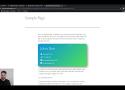
This is a short tutorial for the "Block Designer" plugin for WordPress.
You can make your own blocks by using the Block Designer plugin.

Explore, experiment, and play — no setup required
For users, designers, and educators, WordPress Playground is a flexible tool that lets you:
- Try plugins and themes in a live virtual environment
- Experiment with an anonymous WordPress website
- Embed a real WordPress site in your tutorial or course

CAPTCHA and reCAPTCHA can stop spambots, but they’re also unpopular with visitors. By using a non-intrusive technology like Turnstile, you can protect your website from spambots and automated scripts without annoying your visitors.
In this article, we will show you how to add Cloudflare Turnstile to your WordPress website.

Scan your website and discover where your font files are hosted. This tool scans your website and returns a list of the font files used to render your page.
WP Tavern writes about the GDPR cases in Germany with fines to websites using Google fonts. In the article the refer to this site for easy check of any websites.

In this tutorial, you will see how easy it is to create link previews using the Linkz.ai software currently on Appsumo.

Easily create a Facebook-like link preview for any link on your website. You can choose the image and text to display and create your very own custom template.