Welcome to the Getting Started documentation. From setting up your development environment and building your first block to understanding the fundamentals, this section is the perfect starting point if you are new to block development or want to improve your skills.

To set up your development environment can be a hassle - especially if you try to do it en a MS Windows environment !
In the Introduction to Block Development: Build your first custom block, there is a guide to Set up your development environment.
You'll need the node/npm installed! But in the Set up your development environment, there's not any direct description on how to do this on Windows.
The guide recommends using NVM (Node Version Manager) to handle different versions of Node. Unfortunately, NVM is mostly supported on Linux and Mac (Uses POSIX-compliant shell). It should work through WSL (Windows Subsystem for Linux) depending on the version of WSL.
This tutorial shows a WordPress recommended way !
The way recommended here:
If you’re on a Windows machine, you will need to install the Chocolatey package manager for Windows to install nvm. First open PowerShell with administrative privileges by right-clicking on the PowerShell menu item and selecting Run as Administrator. Then browse to the Chocolatey setup documentation and scroll down to the Install with PowerShell instructions. Copy the instructions and right-click in the PowerShell window to paste them.
See the Video or read the Video Transcript to learn more.
Gutenberg is a codename for a whole new paradigm in WordPress site building and publishing, that aims to revolutionize the entire publishing experience as much as Gutenberg did the printed word.
You will find this Handbook to be an essential resource as you develop your skills and also for when you want to take things further.

WordPress 5.9 is set to launch on January 25, and many users will be in for a surprise. The upcoming release will be the most monumental shift in how the platform works since the introduction of th…
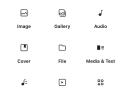
There are many different block types available. Here is a list of the blocks that are available.
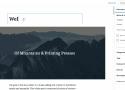
The WordPress Editor is a new publishing experience. You can use it to create media-rich pages and posts and to control their layout with ease. Instead of worrying about the alignment and organizat…

In this WordPress tutorial, I'll reveal everything coming to WordPress 5.5 that may change how you use WordPress forever, for the good. In the video, I used ...
Advanced Gutenberg adds the missing blocks and configuration you need to build professional WordPress websites.
I Introduktionen af TwentyTwenty nævnes flere udvidelser til Gutenberg blok-editor.
Blandt andet denne Advanced Gutenberg.
I wpbeginner's Gutenberg Tutorial er Advanced Gutenberg blandt favoritterne.
I Introduktionen af TwentyTwenty nævnes flere udvidelser til Gutenberg blok-editor.
Blandt andet denne Ultimative Gutenberg Blocks Library.
Men deres Demo-page er ikke overbevisende - se hvordan det loader...
Det er en større samling af Blokke - men de indlæses underligt.
Her er WPBeginners guide til Gutenberg Block Editoren i WP. God at tage ved lære af.