Font finder that helps you to identify fonts from any image. 🔎 Upload the image and choose what the font you need. 1,100,000 fonts indexed free or commercial.


Chris from Selfmadewebdesigner suggest these 5 skills to manage:
These are the building blocks of the skills required for a web designer to go from beginner to pro. Here's what actually matters.
Doing so, he also reveals some good tools. Like:
- Fontshare -- a free fonts service
- Uncut -- another free fonts service
- Type Scale -- Tool to create consistent typography systems
- Contrast Checker
He also demonstrates advanced use of Chrome DevTools to find any site’s color palette

WordPress 6.5 released
This guide outlines major developer features and breaking changes in 6.5 and is published in the Release Candidate cycle to help inform WordPress extending developers, Core developers, and others.
One new feature in 6.5 is the ability to install costum fonts. Demonstrated by Dave Smith in his video: CUSTOM FONTS finally unlock creative freedom in the WORDPRESS 6.5 Font Library

In this tutorial we will explore how to host fonts locally in WordPress in both classic as well as with block themes.
Her er en større samling af fonts, med forskellige filter muligheder. F.eks. kan der søges på tidsperioder.
There are several font formats.
When downloading from fonts.google.com
The downloaded Open Sans files are in
.ttfformat. However, it’s recommended to use the newer Web Open Font Format (.woffand.woff2) as it offers the best performance across all modern browsers.When downloading fonts online, you may not always get the newer formats. There are various converter scripts and apps available online that can convert
.ttfto.woff2and/or.woffformat, such as Google Webfonts Helper.While using
.woffor.woff2font formats is not a requirement, these formats offer smaller file sizes and better performance for modern browsers that support them..woff2is the preferred file format. All modern browsers support it, and it can often save 50% or more over other formats. If you need to support IE 9 – 11, you should also include the .ttf format. You can see which browsers support various formats via the Can I use… website.
Quoted from: A Developers Guide to Block Themes – Part 2 | Adding Custom Fonts to Block Themes
ATTENTION!! Use Google Webfont Helper to download directly in *.woff2 format !
Instead of downloading ttf-fonts from Google Webfonts and then converting to .woff2 format it's possible to use Google Webfont Helper to directly download in the right format.
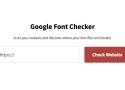
Scan your website and discover where your font files are hosted. This tool scans your website and returns a list of the font files used to render your page.
WP Tavern writes about the GDPR cases in Germany with fines to websites using Google fonts. In the article the refer to this site for easy check of any websites.
FontPark.com has the largest archive of free fonts on the Internet. You can find fonts for commercial and noncommercial applications for Windows, Mac OS and Linux. And for local hosting a webfont

Speed up your design process! Try fonts discovered on websites directly in any design software.
Font Face Ninja offers Chrome and Safari browser extensions that let you discover the fonts used on websites.
Bunny Fonts help make the internet faster, safer and GDPR compliant!
An alternative to Google Fonts.
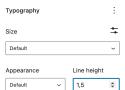
Gutenberg version 12.8 adds the first version of a new web fonts API.
The web fonts API supports using local font files that you place in the theme folder.
OBS!
Problems with GDPR makes it difficult to use in WP. See: https://wptavern.com/the-wordpress-web-fonts-api-has-arrived

Defaulting to the system font of a particular operating system can boost performance because the browser doesn't have to download any font files, it’s using one it already had.
A list with the common fonts to all versions of Windows and their Mac equivalents, useful when creating websites and newsmails.
OBS!
Bemærk at dette er en noget ældre artikel ! Det er muligt der er kommet flere fonte til.
F.eks. er der understøttelse af såkaldte webfonte i de fleste browsere.
Men ikke i diverse mail-klienter, som Outlook osv.
Mail-klienter er begrænset i understøttelse af HTML. Og det er i denne sammenhæng artiklen er mest relevant.
Fork Awesome, a free community based fork of the iconic font and CSS framework: Font Awesome
I min bogmærkesamler Shaarli benyttes Fork Awesome hvor jeg har set mulighederne for brug af ikoner også i WordPress
For eksempel kan der indsættes Shaarli logo med følgende html-kode:
<i class="fa fa-shaarli-o" aria-hidden="true"></i>men læs hvordan det opsættes her: Get started
Her er en font, der kan benyttes til 'juleudsmykning'
Gennemgang af hvad der skal til for at benytte webfonts fra fonts.google.com
Her er alle mulige (... og måske umulige) iconer ...
Tjek siden for yderligere oplysninger
Her er lidt om at benytte Font Awesome til at indsætte ikoner i menuerne.