How to build a WordPress Gutenberg Full Site Editing Starter Theme in just 10 minutes with no coding
How to Build your own WordPress Gutenberg Full Site Editor (FSE) Starter Theme in 10 minutes with no coding.
The Theme we build won't have any in-built styles but it will have all the full site editing parts.

Jamie Marsland it tutoring on using Gutenberg and FSE with focus on webshops (Woocommerce) - but gives som good hints and tricks.
On Pootlepress he writes:
Welcome to my Gutenberg Block Editor learning library. Here you'll find my growing collection of free Gutenberg tutorials.
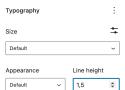
Gutenberg version 12.8 adds the first version of a new web fonts API.
The web fonts API supports using local font files that you place in the theme folder.
OBS!
Problems with GDPR makes it difficult to use in WP. See: https://wptavern.com/the-wordpress-web-fonts-api-has-arrived
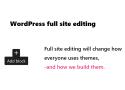
Full site editing will change how everyone uses themes,-and how we build them.
What is full site editing?
Full site editing is a set of new WordPress features:
Block themes, template editing, site blocks, and global styles.
Block themes
With block themes, you use blocks to create entire pages or websites.
Everything you see on a page is a block.
The Biggest Gutenberg Patterns Library for WordPress. Huge collection of fully customizable & responsive Gutenberg patterns.
In this guide, we'll cover everything you need to know about WordPress block patterns, including how to use block patterns to their full potential, as well as how to build custom block patterns.
-ckn- : Ja, der er faktisk meget at lære om Blokgrupper og hvordan man kan lave sine egne. F.eks. i et child-theme.
With the More block you can truncate your blog entries to only show the first part of a post is displayed on homepage, archive pages and in subscriber emails.
The WordPress Editor is a new publishing experience. You can use it to create media-rich pages and posts and to control their layout with ease. Instead of worrying about the alignment and organizat…

You can use the Custom HTML block and paste the SVG path of the icon. Here’s an example with a Material Icon
- det var via dette Feature request, jeg fandt : How to add icons in Gutenberg
Icons obviously are one of the most needed elements for a web page. In WordPress Gutenberg editor there is currently no default block to easily insert an icon such as Font Awesome, Material Design Icons, Unicons, Dashicons and many other. So let’s see an easiest way to add an SVG icon in Gutenberg as an Image. First of all, if you have images of your icons in any image format, that is already easy to do. Simply insert those using the image block. But if you are looking to insert some custom SVG icons or font-awesome or any other icons…

PluginTut has covered a few of these tips in various videos across the channel, but figured this would act as a nice starting point if you're new to the Gutenberg experience.

Custom Blocks for for Gutenberg to help extend the editing capabilities.
Don't forget to watch the Video Tutorial.
KADENCE THEME
Build effective websites with a fast easy to use theme.
Theme recommended by WPCrafter.com in "wordPress Update Coming v.5.5"

In this WordPress tutorial, I'll reveal everything coming to WordPress 5.5 that may change how you use WordPress forever, for the good. In the video, I used ...
Advanced Gutenberg adds the missing blocks and configuration you need to build professional WordPress websites.
I Introduktionen af TwentyTwenty nævnes flere udvidelser til Gutenberg blok-editor.
Blandt andet denne Advanced Gutenberg.
I wpbeginner's Gutenberg Tutorial er Advanced Gutenberg blandt favoritterne.
I Introduktionen af TwentyTwenty nævnes flere udvidelser til Gutenberg blok-editor.
Blandt andet denne Ultimative Gutenberg Blocks Library.
Men deres Demo-page er ikke overbevisende - se hvordan det loader...
Det er en større samling af Blokke - men de indlæses underligt.

Her er WPBeginners guide til Gutenberg Block Editoren i WP. God at tage ved lære af.

En præsentation og introduktion til den opkommende Gutenberg editor i WordPress. Som vil være standard editor i fremtidige versioner af WP.
Gemt her, som reference.