WordPress Studio is a free, open-source app for local WordPress development, powered by WebAssembly and built for modern workflows.
In this video Nick Diego walks you through creating local sites, configuring your environment, and using the tools that come bundled with the app. We’ll cover setting up a new site, adjusting your configuration, and getting comfortable with the Studio interface.
He also briefly shows how to connect Cursor as the AI-driven IDE.
For more about Cursor and how to configure Cursor for WordPress development see My Shaarli about this.

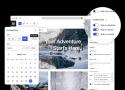
The Block Visibility plugin allows you to conditionally show or hide any WordPress block. Restrict blocks to specific screen sizes, schedules, user roles, and more.
Note:
This is a BLOCK visibility plugin.
The The PublishPress Future plugin (AKA: post-expirator) allows you to schedule changes to POSTS.
How to Build Incredible WordPress Blocks with AI — Featuring Nick Diego and Ryan Welcher
Join WordPress experts Nick Diego and Ryan Welcher as they explore the power of AI in crafting exceptional WordPress blocks.
In this session, you'll discover practical techniques, pro tips, and AI-driven tools to enhance your block-building skills and streamline workflows.
Whether you're a developer or looking to expand your WordPress expertise, this is your chance to unlock new possibilities for your WordPress site!
Discover how to leverage AI for efficient WordPress development using Cursor!
In this tutorial, Nick Diego, a developer relations advocate for WordPress, demonstrates how to set up Cursor for seamless WordPress plugin creation.
Learn how to:
- Configure Cursor for WordPress development
- Create structured instructions for AI-assisted coding
- Use Cursor's Chat and Composer features effectively
- Implement best practices for AI-generated code
- Build a simple "Copy Code" plugin step-by-step
Whether you're a seasoned developer or just starting out, this video will help you harness the power of AI to streamline your WordPress projects.
I recently attended and spoke at my first WordCamp.
This article details why - and how - I built my presentation entirely out of WordPress blocks.
Read on to learn more...
Block development can be challenging, but getting started with block development has never been easier. In the past few years, WordPress contributors have created tools to simplify the process and make building blocks more accessible to those without advanced knowledge of JavaScript and React. Coupled with core components, native block supports, and a bit of guidance, every WordPress builder can add custom blocks to their toolset.
Nick Diego made a 15 minuts presentation at the WordCamp US 2022.
Afterwards he made this workshop as a follow-up to the WordCamp US presentation going in more detail and add a few additional features.