
Jakson er frustreret over problemerne med menuer i FSE og har lavet et plugin, der gør det muligt at lave menuerne på den klassiske måde...
Se hans video og bliv inspireret...

Jamie Marsland has released an AI generated plugin that he demonstrated in the video mentioned in Build a WordPress Plugin Without Coding (Using Cursor AI).
Scrubber is a lightweight WordPress plugin that transforms your Cover block videos into smooth, scroll-synchronized experiences. Instead of traditional video playback, your videos now scrub frame-by-frame as users scroll through your content.
Scrubber is now available as a WordPress plugin. Simply install, activate, and start creating scroll-synchronized video experiences that will captivate your users!
The documentation and download is on the Pootlepress site

The Block Visibility plugin allows you to conditionally show or hide any WordPress block. Restrict blocks to specific screen sizes, schedules, user roles, and more.
Note:
This is a BLOCK visibility plugin.
The The PublishPress Future plugin (AKA: post-expirator) allows you to schedule changes to POSTS.

Det er muligt ved start af Playground at angive options i URL - her er der tilføjet 2 plugins.
- Gutenberg
- Create Block Theme
- Pattern Manager

Complete control over your navigation menus based on screen size including styles and menu items.
This Plugin by David Smith allows you to display and apply alternative styling to different navigation menus based on the screen size using the WordPress Navigation block.
Jamie Marsland demonstrates this plugin
Currently, Block Themes offer limited flexibility in menu customization across devices. The tutorial shows you how to overcome this limitation, with this plugin, allowing you to optimize your site's navigation for both desktop and mobile users. You'll be able to tailor menu items and styles specifically for each device, enhancing user experience and site functionality.

Enable SVG uploads and sanitize them to stop XML/SVG vulnerabilities in your WordPress website
The Easiest Event Calendar Plugin for WordPress.
Add any post to a front-end calendar in 5 minutes or less. No bloat, no difficult setup process. Works with any theme or page builder.
See introduction here: Jonathan Jernigan @ YouTube
Find the free version on Wordpress Plugin repository
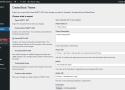
The Create Block Theme plugin has been a go-to-feature for the creation of block themes, akin to a Swiss knife. This tutorial walks block theme developers through how to use the plugin and integrat…

Manage templates and template parts and add Google Fonts to Full Site Editing / Block themes without a child theme!
Webd.uk made a plugin Options for Twenty Twenty-One specific for Twenty Twenty-One theme - the last default theme with the traditional Customizer.
With the dawn of FSE as default in the coming default templates, they hace made a new allround plugin with some missing features. Some are since then now available in Gutenberg.
My primary interest is these two features:
- STICKY HEADER
- ANIMATE SITE LOGO
Worth exploring in a sandbox...

På jagt efter et plugin til fil- og dokumenthåndtering? Så se nærmere på dette plugin.
Shared Files-pluginet er en fil-downloadmanager, der kan hjælpe dig med nemt og hurtigt at administrere og liste downloadede filer på din WordPress-hjemmeside. Det eneste, du skal gøre, er at tilføje filerne ved hjælp af filhåndteringen.
Hent Shared Files-pluginet, og hold orden og styr på dine dokumenter og filer.
Se mere her: https://www.sharedfilespro.com/
OmniForm is a revolutionary form solution that aims to set the foundation for future form-building on WordPress websites. While it currently focuses on general forms, its robust framework is designed to handle various form types such as search forms, login forms, surveys, polls, and more. This release opens up exciting possibilities for website owners looking to enhance their form-building capabilities.
It brings a fresh perspective by fully embracing the potential of the block editor. This innovative approach sets OmniForm apart from any other solution available today. Say goodbye to outdated ways of creating forms and embrace a new era of intuitive form development.
This plugin registers a glossary custom post type for defining words, acronyms or terms. Those terms will be highlighted in public posts, with the definition displayed in a popup tooltip.

Create beautiful and engaging online courses, lessons, and quizzes.
Sensei LMS is a powerful learning management plugin from Automattic, the company behind for instance: WordPress.com, WooCommerce, and Jetpack.
At Automattic, they use Sensei LMS to power all their employee training courses.
But also the free community driven Learn WordPress uses Sensei LMS.
Share your knowledge and teach freely with Sensei LMS!

When you design beautiful block patterns for your theme, Pattern Manager by WP Engine will automatically push them into PHP files for you, every time you save. With a dedicated studio to design and build block patterns you can 10x your ability to work effectively with patterns.
See Jamie Marslands recommendation of the plugin here: Everyone should be using this FREE WordPress plugin 🔥
Overvejer om Google Map er bedst til WP. Her er et plugin, der skal undesøges nærmere.
Power your WordPress with AI!
Generate content, enhance it, improve your SEO, add a ChatGPT-like chatbot, etc.
Jamie Marsland made a review of this WordPress plugin. And it's worth exploring !
Artificial Intelligense (AI) are booming, and here it's used via a plugin in WordPress.
MEOW APPS provides good support and documentation for how the plugin can be used.
See also the Tutorial !
See for instance the : How To: Fine-tune or Train an AI model for your WordPress ChatBot
Interesting to explore!
Do you want to create a custom Gutenberg block for your WordPress website?
While WordPress comes with a lot of basic blocks for creating content, you might need something more custom for your website.
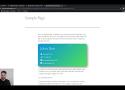
This is a short tutorial for the "Block Designer" plugin for WordPress.
You can make your own blocks by using the Block Designer plugin.

Explore, experiment, and play — no setup required
For users, designers, and educators, WordPress Playground is a flexible tool that lets you:
- Try plugins and themes in a live virtual environment
- Experiment with an anonymous WordPress website
- Embed a real WordPress site in your tutorial or course

CAPTCHA and reCAPTCHA can stop spambots, but they’re also unpopular with visitors. By using a non-intrusive technology like Turnstile, you can protect your website from spambots and automated scripts without annoying your visitors.
In this article, we will show you how to add Cloudflare Turnstile to your WordPress website.