
Since June 2018, Google has required the use of an API key to use Google Maps features.
The Events Calendar comes with a Google Maps API key built into it, but The Events Calendar strongly recommend adding your own API key, especially if you use The Event Calendar Pro.
But be aware of pricing... !!
In this article, we'll show you how to use the new Full Site Editor with The Events Calendar plugin. We've also included some workarounds.
We'll walk you through the process of creating template overrides so that you can add customizations to your calendar views with The Events Calendar.
A propos License Terms
“Do I need a second license if I want to test things out on a staging or development server?”
In most simple cases a single license will suffice. In fact, if your domain name matches any of the following patterns our system will automatically assume that you are working on a staging site (and will not count it against the number of installations allowed by your license key):
TLDs:
- *.local
- *.localhost
- *.staging
- ... etc.
Subdomains:
- dev.* , *-dev.*
- wpdev.*
- webdev.*
- test.*
- staging.*
See the full list in the link

Put the events from your WordPress site inside a newsletter. Spend less time promoting your events, avoid costly mistakes in emails, and get more attendees!

The Test Data Generator extension adds a new settings screen in Events > Test Data that provides an automated tool to generate high quality, life-like data for The Events Calendar family of plugins.
In this article, we'll show you how to disable links for single events on the main calendar page, using a CSS snippet.
This might come up if you’d like to create a holiday event or blackout dates
Events Calendar Pro ships with a number of cool widget shortcodes that you can use on your site in locations other than a sidebar.
On the road to FSE...
As mentioned, you won’t yet see Events widgets in the widget admin. However, with Events Calendar Pro users can get around that by using our widget shortcodes with the Shortcode block.
In this article, we'll show you how to use the new Full Site Editor with The Events Calendar plugin. We've also included some workarounds.
The good news is that there’s a simple, straightforward way to create a custom RSVP website using WordPress and the Event Tickets Plugin.
-ckn- : Her er en beskrivelse af, hvordan man kan opsætte en tilmeldingsformular på websted. Uden de helt store dikkedarer.
Ved hjælp af Event Tickets plugin fra The Events Calendar kan der opsættes en tilmeldingsformular.
Den er i øvrigt ikke afhængig af brug af kalender.


The New Subscribe➕ to Calendar Feature
You've been asking for it, and it's finally here. Our latest version of The Events Calendar now allows users to subscribe to your calendar with just a click of a button!
Shortcodes are small pieces of code that pack a punch. They allow you to add functionality to your website with a shorthand that your WordPress site can read and interpret without having to write a single line of code.
And Events Calendar Pro comes standard with shortcodes. You can use the [tribe_events] shortcode to embed a calendar on any WordPress page or post on your website. From there, you can customize each shortcode to only include certain events, venues, organizers, and beyond.
Take it to the next level by adding event categories to each of your shortcodes. This will allow you to create numerous calendars on a single WordPress install by simply adding a few words to each page.
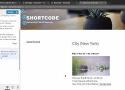
Quick tutorial on some ways to find and customize The Events Calendar Shortcode PRO for your theme using a bit of CSS.
Gode hints til at finde de selektorer, der skal tilpasses.
Introduction on how to use The Events Calendar (by Modern Tribe) with The Events Calendar Shortcode & Block plugin to show a calendar and list your events wherever you want
Med The Events Calendar Shortcode & Block 'add on' til TheEventCalendar plugin, gives der mulighed for at få vist begivenheder på en liste, der kan tilpasses, uanset hvor der er brug for det. På sider, indlæg eller widgetsområder.
I Blockeditoren kan der indsættes med en blok, der dog stadig synes at være under udvikling. Der er - stadig - langt større kontrol ved at benytte 'shortcodes'. Her er en fuld liste med parametre:
Full list of the Events Calendar Shortcode Pro shortcodes! Get full control of your Events Calendar display on your WordPress site.
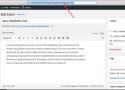
WordPress’ built-in oEmbed features allow you to embed single events by simply pasting an event’s permalink into post or page content; you can learn more about this functionality here. While that feature is useful, it doesn’t let you customize what event details to display, or in what order to display them. Furthermore, the oEmbed features […]
The purpose is to provide a custom shortcode that will allow hidden events to be displayed using the [tribe_events] and [tribe_events_list] shortcodes while still suppressing hidden events from the main Upcoming Events page, RSS feeds, and other 3rd party shortcodes or widgets.
Congratulations on picking up the Filter Bar add on! You’re probably excited to unleash your new calendar filtering powers, so let’s go over the ways you can configure the plugin to suit your needs. Finding the filter settings The first thing you’ll want to do is head over to the Filter Bar settings, which you […]
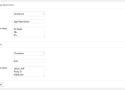
Beskrivelse af hvordan man selv sætter felter op. F.eks. hvis man vil angive et felt med prædikant til gudstjeneste