
A WordPress.com offer...
In this step-by-step tutorial, we’ll show you how to build a complete website with the AI Website Builder on WordPress.com.
You’ll see how AI can generate layouts, colors, fonts, and sections in minutes, while also learning how to fine-tune your site manually – whether that means swapping images, adjusting text, or reorganizing blocks. From a travel blog to a small business site, a non-profit project, a restaurant site, or even a photography portfolio, this walkthrough covers both the automation and the hands-on control you need to create a site that feels truly yours.
There's also AI possibilities in Studio by WordPress.com
A fast, free, open source tool for local WordPress development all powered by WordPress Playground and WordPress.com.
See the Quick Start Guide that also has a video guide.


Can AI take over WordPress theme development?
In this video, Elliott Richmond explore whether Cursor AI can generate a fully functional WordPress block theme from scratch! ...

Matt Medeiros from The WP Minute almost gave up on coding with AI when he started out using vanilla ChatGPT and Claude. After wasting so much time and burning through tokens, he discovered the Bolt and Replit platforms.
In this video, Matt says:
I'll cover what I've built so far, the differences in the platforms, and some useful tips on how I string these all together.

Discover how to leverage AI for efficient WordPress development using Cursor!
In this tutorial, Nick Diego, a developer relations advocate for WordPress, demonstrates how to set up Cursor for seamless WordPress plugin creation.
Learn how to:
- Configure Cursor for WordPress development
- Create structured instructions for AI-assisted coding
- Use Cursor's Chat and Composer features effectively
- Implement best practices for AI-generated code
- Build a simple "Copy Code" plugin step-by-step
Whether you're a seasoned developer or just starting out, this video will help you harness the power of AI to streamline your WordPress projects.
The Repository is an independent media business dedicated to covering what’s happening in the WordPress ecosystem.
Since 2019, we have served a WordPress-focused audience via our popular weekly newsletter designed for people who want their news fast. In 2024, we’re expanding our offering to deliver news reporting for those who want to dive deeper into the latest headlines.
Events today 20.12.2024 led to a call for the end of the current WordPress leadership situation. In this video David McCan review the events of today 21. december 2024 and what it might mean for the future of the project. Several articles are mentioned in the video.

WPBriefs omtaler d. 2. august 2023 denne service:
Today Jetpack has introduced Jetpack Newsletter, which allows creators to easily send their blog posts as emails. This feature eliminates the need for rewriting content for different platforms. With Jetpack Newsletter, you can write once and reach all by instantly converting your blog content into a newsletter that is delivered straight to your subscribers’ inboxes and the WordPress Reader on WordPress.com.
Måske værd at undersøge nærmere...
Up-to-date WordPress podcast, every weekday, powered by AI.
This guide is for setting up your local environment for JavaScript development for creating plugins and tools to extend WordPress and the block editor.
In the course: Introduction to Block Development: Build your first custom block the 2nd lesson Set up your development environment
gives also recommendations for choise of IDE.
A development environment is a catch-all term for what you need setup on your computer to work.
This guide for setting up the local environment is based on Ubuntu and using the curl command.
Good to know:
cURL (Client URL) comes pre-installed on Windows and macOS — otherwise, you can download the package from the cURL website.
Microsoft ships curl too
Curl is also shipped by Microsoft as part of Windows 10 and 11.

Did you ever wonder what WordPress theme or plugins is that awesome site using?
WordPress Theme Detector is the perfect free online tool to find out.
Her er WordPress' egen anvisning til at flytte et websted.
With WordPress 5.8, we're full speed ahead with Full Site Editing (FSE) using the WordPress block editor. In addition, WordPress 5.8 brings a host of improvements and features to the WordPress block editor itself, along with a few new things developers will appreciate.
I denne guide vises, hvordan man manuelt flytter en eksisterende WordPress side til et andet domænenavn.

In this WordPress tutorial, I'll reveal everything coming to WordPress 5.5 that may change how you use WordPress forever, for the good. In the video, I used ...
Her er Video Tutorials til Enfold WP theme.
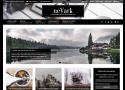
Her er et tema, jeg overveje at bruge til kirkehjemmeside
Temaet er dog endnu ikke oversat til dansk - så der vil være lidt at arbejde med...

From the support forum to Twenty Fourteen
I'm not the only one that would like it to center..
#page {
margin-left: auto;
margin-right: auto;
}
Sættes ind i egen CSS - kan gøres i kontrol panelet.
Men bedre i ChildTheme
Her er en instruktion på at flytte WP til roden, i stedet for at være i en undermappe.
Her er en samling hints og tricks til hjemmeside bryggeren og så på dansk