
Get started with modern WordPress development by setting up the essential tools.
Learn how to:
- access the command line,
- install Node.js
- npm with
- Node Version Manager (nvm),
- and prepare your environment for efficient development with WP-CLI (WordPress Command Line Interface).
Whether you're on Mac or Windows, this video will guide you through the setup process.
Elliot Richmond show you within 10 minutes

This guide is designed to demonstrate the basic principles of block development in WordPress using a hands-on approach.
Following the steps, you will create a custom block that displays the copyright symbol (©) and the current year, the perfect addition to any website’s footer...
This is part of the Block Editor Handbook, and demonstrates the classic development way.
In my Shaarli How to build incredible WordPress Blocks with Cursor AI Nick Diego and Ryan Welcher demonstrates how to build the same Block using AI
The complete code for this tutorial is available in the Block Development Examples repository on GitHub.

WordPress Studio is a free, open-source app for local WordPress development, powered by WebAssembly and built for modern workflows.
In this video Nick Diego walks you through creating local sites, configuring your environment, and using the tools that come bundled with the app. We’ll cover setting up a new site, adjusting your configuration, and getting comfortable with the Studio interface.
He also briefly shows how to connect Cursor as the AI-driven IDE.
For more about Cursor and how to configure Cursor for WordPress development see My Shaarli about this.

Jamie Marsland made this Website using AI.
Tomorrow times
Make quick predictions on news and sports. Earn points. Climb the leaderboard. Tomorrow Times - your daily prediction challenge.
How it was built
On his blog Jamie has written an article on how it was built and with his reflections on AI and the impacts on WordPress.
⚠️ The Tomorrow times is NOT built with WordPress! But it shows what is possible with AI and gives implications for WP.
🚀 I just had my mind blown. AI helped me build an incredible WordPress plugin — with zero coding required!
Jamie Marsland demonstrates how to use WP Studio with Cursor AI.
He also explains how to load explicit WordPress rules for cursor.
Finally Jamie point to a developer tool to check whether the plugin meets the required standards for the WordPress.org plugin directory.

In this quick video, you’ll learn how to set up Claude Code with WordPress Studio and use it to kickstart WordPress plugin development with AI. You’ll also g...
Brian Coords is a WordPress developer, educator and host of the Webmasters podcast.
Among other things, he has published a series on “7 Tools for Modern WordPress Development”.

A WordPress.com offer...
In this step-by-step tutorial, we’ll show you how to build a complete website with the AI Website Builder on WordPress.com.
You’ll see how AI can generate layouts, colors, fonts, and sections in minutes, while also learning how to fine-tune your site manually – whether that means swapping images, adjusting text, or reorganizing blocks. From a travel blog to a small business site, a non-profit project, a restaurant site, or even a photography portfolio, this walkthrough covers both the automation and the hands-on control you need to create a site that feels truly yours.
There's also AI possibilities in Studio by WordPress.com
A fast, free, open source tool for local WordPress development all powered by WordPress Playground and WordPress.com.
See the Quick Start Guide that also has a video guide.

Chris from Selfmadewebdesigner suggest these 5 skills to manage:
These are the building blocks of the skills required for a web designer to go from beginner to pro. Here's what actually matters.
Doing so, he also reveals some good tools. Like:
- Fontshare -- a free fonts service
- Uncut -- another free fonts service
- Type Scale -- Tool to create consistent typography systems
- Contrast Checker
He also demonstrates advanced use of Chrome DevTools to find any site’s color palette

Det er muligt ved start af Playground at angive options i URL - her er der tilføjet 2 plugins.
- Gutenberg
- Create Block Theme
- Pattern Manager

Want to build a stunning WordPress website but don’t know where to start? In this beginner-friendly tutorial, I’ll show you how to build and design your very own website step-by-step—no coding needed! Follow along: https://hostinger.com/kevin
We’ll use AI-powered tools to make the process faster and easier, from choosing a domain and web host to customizing the design and launching your site live on the internet.
Welcome to the Getting Started documentation. From setting up your development environment and building your first block to understanding the fundamentals, this section is the perfect starting point if you are new to block development or want to improve your skills.

How to Build Incredible WordPress Blocks with AI — Featuring Nick Diego and Ryan Welcher
Join WordPress experts Nick Diego and Ryan Welcher as they explore the power of AI in crafting exceptional WordPress blocks.
In this session, you'll discover practical techniques, pro tips, and AI-driven tools to enhance your block-building skills and streamline workflows.
Whether you're a developer or looking to expand your WordPress expertise, this is your chance to unlock new possibilities for your WordPress site!
Boost up your workflow, reduce development time and generate high quality code.
GenerateWP makes your development experience much faster using auto code generators.
I denne vejledning viser Elliot Richmond dig, hvordan du opretter en subtil, animeret glidende sticky navigationslinje ved hjælp af blokvariationer, CSS og JavaScript.
Bemærk at menuen indarbejdes i et Tema !
Denne WordPress-bloktema teknik tilføjer en kreativ glidende navigationsbjælke, der vises, når der rulles ned på siden.
En glidende sticky navigationsbjælke.
Elliot Richmond demonstrerer
- brug af Navigation
- oprettelse af menu
- tilføjelse af features
- integration i et tema.
Men ikke mindst en masse om udviklingsarbejdet.

Quick Start guide
Studio by WordPress.com is a free desktop app that helps developers streamline their local WordPress development workflows.
With Studio, you’ll be able to easily build and maintain local WordPress websites without manual server setup or tool configuration.
It also allows you to share your work publicly (think: with clients, team members, or design teams) through temporary demo sites hosted on WordPress.com.
NOTE the difference: wordpress.org vs. wordpress.com
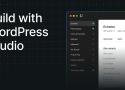
Build Fast, Ship Faster with Studio. Meet Studio by WordPress.com — a fast, free way to develop locally with WordPress.
Share your local sites with clients or colleagues and keep your local development process smooth and simple—with unbreakable infrastructure behind the scenes.
In this video Anne McCarty covers WordPress Playground, an open-source project that makes makes WordPress instantly accessible for users, learners, extenders, and contributors thanks to the easy creation of instant, temporary WordPress sites in your browser. At a high level, watching this video will give you a glimpse of what it is, what it does, and how you can use it today. She highly recommend getting comfortable using it, especially as we look to the future of WordPress.
In addition, she demonstrates, via her website nomad.blog , how to use blueprints to set up a preconfigured instance of a Playground site.
If you want to dig deeper, follow Jonathan Bossenger when Testing WP Playground with wp-now.
Or you can delve into the Playground documentation

WordPress 6.5 released
This guide outlines major developer features and breaking changes in 6.5 and is published in the Release Candidate cycle to help inform WordPress extending developers, Core developers, and others.
One new feature in 6.5 is the ability to install costum fonts. Demonstrated by Dave Smith in his video: CUSTOM FONTS finally unlock creative freedom in the WORDPRESS 6.5 Font Library
An alternative to WP Playground
Ever wanted to try how a certain plugin works? Well, now you just have to visit try.new, and you will have a clean WordPress install so that you can try it instantly.
You got that right; the website is try.new for trying something new. No registration required, just a fresh, clean WordPress site instantaneously created for you.
Try try.new today and bookmark the domain for future use!
Seamless Plugin and Theme Trials
If you’re browsing the WordPress repository and stumble upon a plugin or theme you’re itching to try, just swap ‘WordPress’ in the URL with ‘ZipWP’. We’ll instantly create a new WordPress site with your chosen plugin or theme pre-installed.
Se how in this video
The service is part of the ZipWP porte folio.
Couresy to WPCrafter who brought this to my attention in their YouTube channel