
Det er muligt ved start af Playground at angive options i URL - her er der tilføjet 2 plugins.
- Gutenberg
- Create Block Theme
- Pattern Manager

Bringing you the best SSL/TLS and PKI testing tools and documentation.
Here’s 2 methods for how to access your WordPress admin dashboard after your site goes down due to a fatal error warning.
your-domain.com/wp-login.php?action=entered_recovery_mode
In this video series, Adam Lowe show you what Full Site Editing is about and how to build a block theme.
This video, Part 1, covers the series overview and demonstrates creating a block theme in its simplest form.

Want to build a stunning WordPress website but don’t know where to start? In this beginner-friendly tutorial, I’ll show you how to build and design your very own website step-by-step—no coding needed! Follow along: https://hostinger.com/kevin
We’ll use AI-powered tools to make the process faster and easier, from choosing a domain and web host to customizing the design and launching your site live on the internet.
Welcome to the Getting Started documentation. From setting up your development environment and building your first block to understanding the fundamentals, this section is the perfect starting point if you are new to block development or want to improve your skills.

How to Build Incredible WordPress Blocks with AI — Featuring Nick Diego and Ryan Welcher
Join WordPress experts Nick Diego and Ryan Welcher as they explore the power of AI in crafting exceptional WordPress blocks.
In this session, you'll discover practical techniques, pro tips, and AI-driven tools to enhance your block-building skills and streamline workflows.
Whether you're a developer or looking to expand your WordPress expertise, this is your chance to unlock new possibilities for your WordPress site!

Can AI take over WordPress theme development?
In this video, Elliott Richmond explore whether Cursor AI can generate a fully functional WordPress block theme from scratch! ...
Boost up your workflow, reduce development time and generate high quality code.
GenerateWP makes your development experience much faster using auto code generators.
Is it possible to call a function from functions.php in custom page or blog post?
I put simple function in functions.php:
  function testTest()
  {
     echo "Test";
  }
And called it from the page:
<?php testTest();?>
-ckn-:
I trådens svar gives anvisning på hvordan man kan kalde en funktion. F.eks. opsætte en shortcode til at kalde den.
Det kan være værd at lege lidt med i sandkassen. F.eks. til Copyright note.

Jamie shows how he built 10 awesome apps in a week using Bolt AI.
He explains:
10 days ago, I was skeptical about no-code development tools, but I couldn’t have been more wrong!
In just 10 days, I built 10 amazing apps without writing a single line of code. In this video, I’ll walk you through each app, show you exactly how I built them, and share 5 essential steps so you can start building your own no-code apps like a pro!
⚠️ Note: all Jamies apps are not directly integrated with WordPress.
For WordPress development see Nick Diego's instructions

Matt Medeiros from The WP Minute almost gave up on coding with AI when he started out using vanilla ChatGPT and Claude. After wasting so much time and burning through tokens, he discovered the Bolt and Replit platforms.
In this video, Matt says:
I'll cover what I've built so far, the differences in the platforms, and some useful tips on how I string these all together.

Discover how to leverage AI for efficient WordPress development using Cursor!
In this tutorial, Nick Diego, a developer relations advocate for WordPress, demonstrates how to set up Cursor for seamless WordPress plugin creation.
Learn how to:
- Configure Cursor for WordPress development
- Create structured instructions for AI-assisted coding
- Use Cursor's Chat and Composer features effectively
- Implement best practices for AI-generated code
- Build a simple "Copy Code" plugin step-by-step
Whether you're a seasoned developer or just starting out, this video will help you harness the power of AI to streamline your WordPress projects.
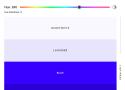
CSS colors sorted by their hue, saturation and lightness.
A tool to sort the named CSS colors in a way that it shows related colors together. So, next time you can't decide between a few CSS colors, you can just check them here side by side.
The Repository is an independent media business dedicated to covering what’s happening in the WordPress ecosystem.
Since 2019, we have served a WordPress-focused audience via our popular weekly newsletter designed for people who want their news fast. In 2024, we’re expanding our offering to deliver news reporting for those who want to dive deeper into the latest headlines.

Events today 20.12.2024 led to a call for the end of the current WordPress leadership situation. In this video David McCan review the events of today 21. december 2024 and what it might mean for the future of the project. Several articles are mentioned in the video.

I denne vejledning viser Elliot Richmond dig, hvordan du opretter en subtil, animeret glidende sticky navigationslinje ved hjælp af blokvariationer, CSS og JavaScript.
Bemærk at menuen indarbejdes i et Tema !
Denne WordPress-bloktema teknik tilføjer en kreativ glidende navigationsbjælke, der vises, når der rulles ned på siden.
En glidende sticky navigationsbjælke.
Elliot Richmond demonstrerer
- brug af Navigation
- oprettelse af menu
- tilføjelse af features
- integration i et tema.
Men ikke mindst en masse om udviklingsarbejdet.
Farvesystemvirksomheden Pantone har kåret farven "Mocha Mousse" som årets farve 2025.

Learn how to set up a WordPress website in under 250 seconds with this quick start guide!
This beginners tutorial covers the three essential aspects of creating a WordPress site: content, structure, and design.
Follow along as we demonstrate how to:
- Create and organize pages
- Set up navigation menus
- Configure homepage and blog settings
- Add content using theme patterns
- Customize the design with global styles

Learn how to master content widths and page widths for stunning layouts.
Discover the 4 essential widths:
• Normal width
• Wide content width
• Full width
• Custom width
Jamie Marsland explains...