
Quick Start guide
Studio by WordPress.com is a free desktop app that helps developers streamline their local WordPress development workflows.
With Studio, you’ll be able to easily build and maintain local WordPress websites without manual server setup or tool configuration.
It also allows you to share your work publicly (think: with clients, team members, or design teams) through temporary demo sites hosted on WordPress.com.
NOTE the difference: wordpress.org vs. wordpress.com


Jamie Marsland demonstrates how to use Negative Margins.
- Negative margins in WordPress Gutenberg allow overlapping content blocks, enabling creative layouts.
- Understanding the CSS Box Model (content, padding, and margin) is crucial for effectively using negative margins.
- Negative margins can be applied to specific sides of a block (top, right, bottom, left) by adjusting the margin settings.
- By combining negative margins with column blocks, impressive overlapping layouts can be created quickly.
He also recommends to disable negative margins on mobile (globally) with some CSS
/*
-ckn-: Remove negative margins on mobile - by courtesy of Jamie Marsland
*/
@media (max-width: 768px) {

    [style*="margin-top:-"]    { margin-top:    0 !important }
    [style*="margin-right:-"]  { margin-right:  0 !important }
    [style*="margin-bottom:-"] { margin-bottom: 0 !important }
    [style*="margin-left:-"]   { margin-left:   0 !important }
}
However, be aware that if you make this globally, there's no option to make local variation to margins on mobile !

Build Fast, Ship Faster with Studio. Meet Studio by WordPress.com — a fast, free way to develop locally with WordPress.
Share your local sites with clients or colleagues and keep your local development process smooth and simple—with unbreakable infrastructure behind the scenes.

Complete control over your navigation menus based on screen size including styles and menu items.
This Plugin by David Smith allows you to display and apply alternative styling to different navigation menus based on the screen size using the WordPress Navigation block.
Jamie Marsland demonstrates this plugin
Currently, Block Themes offer limited flexibility in menu customization across devices. The tutorial shows you how to overcome this limitation, with this plugin, allowing you to optimize your site's navigation for both desktop and mobile users. You'll be able to tailor menu items and styles specifically for each device, enhancing user experience and site functionality.
Kevin Powell and Roel Nieskens deep dive into Typography, exploring the awesome things we can do with variable fonts, and a bunch of useful Open Type features that we have at our disposal, that a lot of people aren't even are aware we have control over with CSS!
It's all about how you can animate and format your fonts with the CSS settings.
It could be interesting to try to combine with Using the CSS Mixed-Blend mode with Gutenberg
Roel Nieskens also demonstrate his Wakamai Fondue to test a font's functions.
Jamie Marsland reveals -
How to create a beautiful CSS effect that makes text appear transparent, revealing a background image behind it.
A big hat tip to Justin Tadlock for helping me figure out a nice easy way to accomplish this beautiful cut out text effect in Gutenberg.
The CSS effect used is the mix-blend-mode property, that specifies how an element's content should blend with its direct parent background.
w3scools demo
mdn web docs examples
CSS-Tricks examples - here I find the use of screen value on the Washington D.C. most interesting.

Since June 2018, Google has required the use of an API key to use Google Maps features.
The Events Calendar comes with a Google Maps API key built into it, but The Events Calendar strongly recommend adding your own API key, especially if you use The Event Calendar Pro.
But be aware of pricing... !!

Learn about the flexible Google Maps Platform costs and API pricing built to fit your business goals and needs, while staying within budget.
===
If you're going to setup a Google Map API-key it's worth to know that it is NOT free. Google gives each Google Account a $200 credit per month, which equates to around 4,000 free Google Maps lookups per day on average.
But even so, it is paramount to be aware of DDoS and the likes and restrict access to your API key !
In this article, we'll show you how to use the new Full Site Editor with The Events Calendar plugin. We've also included some workarounds.

We'll walk you through the process of creating template overrides so that you can add customizations to your calendar views with The Events Calendar.
Jamie Marsland demonstrerer i denne video hvordan man kan style en menu. Her benytter han noget CSS som han genererer med linkets glassmorphism generator.
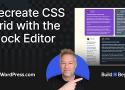
Most great-looking websites utilize some sort of grid pattern in their page layout. But while many designers accomplish this using CSS Grid, new WordPress blocks let you do it right in the editor.
In today’s “Build and Beyond” video, Jamie Marsland shows you how to use Grid and Grid Layout blocks to create a beautiful, functional WordPress site.
At the moment you'll need Gutenberg plugin, for the Grid-block. See also how Jamie makes it really responsible. Needs some settings.

In this video Anne McCarty covers WordPress Playground, an open-source project that makes makes WordPress instantly accessible for users, learners, extenders, and contributors thanks to the easy creation of instant, temporary WordPress sites in your browser. At a high level, watching this video will give you a glimpse of what it is, what it does, and how you can use it today. She highly recommend getting comfortable using it, especially as we look to the future of WordPress.
In addition, she demonstrates, via her website nomad.blog , how to use blueprints to set up a preconfigured instance of a Playground site.
If you want to dig deeper, follow Jonathan Bossenger when Testing WP Playground with wp-now.
Or you can delve into the Playground documentation

As a beginner, avoiding common mistakes is crucial to your success with WordPress block themes. By steering clear of the temptation to place content directly into page templates or the site editor, and following the recommended steps outlined in this blog post, you’ll be well on your way to harnessing the full potential of block themes. Remember, WordPress is all about the seamless integration of design and content, and by embracing this principle, you’ll unlock endless possibilities for your website.
A quick recap...
- Don't put page content in Site Editor! (The Template)
- Create two new pages, your home page and blog/post page as set in the reading settings as normal.
- Edit home page template in the Site Editor to create your blog layout.
- Create a new Front Page template to design your front/home page.

Learn how to easily create a sticky header and footer on your WordPress website with no plugins required!
Jamie Marsland gives examples of how to achieve a sticky menu or header.
There is also an example of getting a text sticky at the bottom using a little CSS:
.bottom-menu {
             position: fixed;
             bottom: 0;
             width: 100%;
             z-index: 100;
}Denne artikel forklarer, hvordan du overfører dit .dk-domæne til one.com, når du allerede har en konto hos one.com til dit .dk-domæne.
Tidligere var alle .dk-domæner registreret direkte hos Punktum dk - (tidligere kaldet DK Hostmaster). Det betød, at alle ændringer, fornyelser og kontakter vedrørende dit .dk-domæne blev håndteret af dem, selvom du administrerede din e-mail eller hjemmeside via one.com.
Nu kan du dog overføre dit domæne til one.com. Ved at lade os tage os af dit domæne kan vi sikre, at det kører så problemfrit som muligt. Nogle af fordelene ved at flytte domænet til one.com inkluderer:
- Abonnements- og domæneadministration på ét sted
- Automatisk fornyelse for at sikre, at din faktura betales til tiden
- Telefonsupport (kun tilgængelig på udvalgte sprog)
- Administrer al kontakt vedrørende både dit abonnement og domæne via vores support.

WordPress 6.5 released
This guide outlines major developer features and breaking changes in 6.5 and is published in the Release Candidate cycle to help inform WordPress extending developers, Core developers, and others.
One new feature in 6.5 is the ability to install costum fonts. Demonstrated by Dave Smith in his video: CUSTOM FONTS finally unlock creative freedom in the WORDPRESS 6.5 Font Library

Enable SVG uploads and sanitize them to stop XML/SVG vulnerabilities in your WordPress website
An alternative to WP Playground
Ever wanted to try how a certain plugin works? Well, now you just have to visit try.new, and you will have a clean WordPress install so that you can try it instantly.
You got that right; the website is try.new for trying something new. No registration required, just a fresh, clean WordPress site instantaneously created for you.
Try try.new today and bookmark the domain for future use!
Seamless Plugin and Theme Trials
If you’re browsing the WordPress repository and stumble upon a plugin or theme you’re itching to try, just swap ‘WordPress’ in the URL with ‘ZipWP’. We’ll instantly create a new WordPress site with your chosen plugin or theme pre-installed.
Se how in this video
The service is part of the ZipWP porte folio.
Couresy to WPCrafter who brought this to my attention in their YouTube channel
Uploading SVG files to WordPress can be dangerous. Find out how to upload SVG to WordPress safely by reading this article.
-ckn- note :
Se mit link til Safe SVG
Fordelen ved at anvende plugin er at der også er en optimering og "rengøring"
Efter at have læst link-artiklen, spurgte jeg MS Copilot i Edge:
"Hvilken php kode kan anvendes for at tilføje SVG filer til tilladte medier ?"
Svar:
For at tillade SVG-filer i WordPress kan du tilføje følgende kode til din themes
functions.php-fil og kalde den viaupload_mimes-hooket:
function custom_mtypes ($m) {
    $m ['svg'] = 'image/svg+xml';
    $m ['svgz'] = 'image/svg+xml';
    return $m;
}
add_filter ('upload_mimes', 'custom_mtypes');
Dette vil tillade dig at uploade og vise SVG-billeder uden problemer.
I svaret henviser Copilot til webstederne Leighton.com og WPPagebuilders.com.