Ny sandbox til Havre udvikling...


Did you ever wonder what WordPress theme or plugins is that awesome site using?
WordPress Theme Detector is the perfect free online tool to find out.
Instant Images is the world's fastest way to upload quality photos from Unsplash, Pixabay and Pexels directly to your WordPress media library.
Seems like Openverse and WP Photos inclusions are in pipeline
Dynamically inject Gutenberg Layouts in Pages, Posts etc.

OBS !
There's a new plugin that might do a better job!
As described in my shaarli about the Pattern Manager, it looks like a recommended way
With BlockMeister creating custom block patterns becomes easy. The patterns can be designed just like you design a blog post or a page with the block editor.
You can assign any (custom) category or keywords. By doing so, your patterns are categorized in a way that makes sense to your users and keywords make it easier to find a pattern.
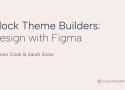
Are you a theme builder looking to transition to the new era of block themes? Or maybe you’re new to Figma and curious about how you might go from zero to hero with your block theme design? Join us!
Some areas we’ll explore:
A brief overview of Figma and why you might use it.
Use the WordPress.org Figma community’s Theme Template file to kickstart your block theme design.
Discuss considerations for block theme designs and best practices.
In this workshop, we will work exclusively in Figma. However, there will likely be a follow-up workshop where we convert our Figma Block Theme prototype into the workings of a Block Theme.

How to build a WordPress Gutenberg Full Site Editing Starter Theme in just 10 minutes with no coding
How to Build your own WordPress Gutenberg Full Site Editor (FSE) Starter Theme in 10 minutes with no coding.
The Theme we build won't have any in-built styles but it will have all the full site editing parts.
Jamie Marsland it tutoring on using Gutenberg and FSE with focus on webshops (Woocommerce) - but gives som good hints and tricks.
On Pootlepress he writes:
Welcome to my Gutenberg Block Editor learning library. Here you'll find my growing collection of free Gutenberg tutorials.

Newsletter Glue is a newsletter plugin for WordPress. Build beautiful newsletters in WordPress in half the time, without code.
I read about it at WP Tavern.
Worth checking out...

Har man en 'gammel' Wordpress installation, hvor indlæg er skrevet med den klassiske editor, kan der være behov for konvertering til den nye blok-editor. Det kan dette plugin hjælpe med.

How to use the :is, :where, and :has modern CSS selectors
Bunny Fonts help make the internet faster, safer and GDPR compliant!
An alternative to Google Fonts.

WPCode is a powerful WordPress code snippet plugin that makes it easy for you to add custom WordPress features using code snippets without editing your theme’s functions.php file.
It comes with a built-in code snippets library where you can find some of my most popular WordPress code snippets that will help you eliminate the need of separate plugins.
WPbeginner built this tool to help you save time and hassle when managing your website customizations. This is like the ultimate Swiss-Army knife tool that will help you replace dozens of existing WordPress plugins while making your website faster.
-ckn-: Hvordan mon dette vil spille sammen med FSE ? Bør lige undersøges nærmere
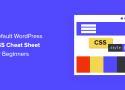
WordPress automatically adds some CSS classes to different elements in most themes. These default CSS classes can be used to style those elements in your WordPress theme.
In this article, we’ll show you the default WordPress generated CSS cheat sheet. We’ll also talk about how to easily find CSS classes and how to add custom CSS classes whenever you need them.
Add Dummy Content for Theme Development in WordPress
Do you want to add dummy content for theme development and WordPress testing?
Adding dummy content allows you to fill up an empty WordPress site with placeholder content. This allows you to see how a website will look and how your plugins would work with content.
Read more about it here: How to Add Dummy Content for Theme Development in WordPress

WordPress theme author Rich Tabor tweeted, “Even with my theme developer hat on, I’m finding it easier and easier to create block themes ~ within ~ WordPress. I’m positive one day (soon) this will be the norm.”
It looks like that day has arrived sooner than expected, as Automattic has had a team working on this capability for awhile. Today, a group of eight full-time sponsored Themes Team contributors released a plugin called Create Block Theme that can create standalone block themes and child themes inside the WordPress admin.
⚠️ Attention!
Note that the Create Block Theme plugin will write your theme.json top-level elements in alphabetical order, which may not be the order you want. This won’t break the functionality of the theme, but it may be a little confusing if, for example, you’re used to seeing the schema and version items at the top of the file.
See: A Developers Guide to Block Themes – Part 1 -> Converting the Style Guide to the theme.json file -> Exporting Styles Applied in the Global Styles Interface

It is recommended to make a test site so that you can practice using full site editing features and see all of the powerful new adjustments that you can make.
In order to enhance your learning experience, a demo WordPress site is available for you to use while you work through this content. You will have full dashboard control and the site will last for seven days before expiring.
Alt hvad du har brug for – er derude.
Vi skal nok vise dig hvor.
Her kan du lære hvor og hvordan du finder medier, som du må bruge – frit og enkelt.